Scheduling and tee sheet

Golf Simulator Booking Software With a Tee Sheet Your Front Desk Can Read

Every bay, every slot, one grid. Online scheduling, automated reminders, waitlists and recurring bookings — so peak evenings sell out cleanly and quiet hours become something you can actually sell.

Run it as your scheduling system, or start with member engagement while your current booking tool keeps taking reservations.

Visual tee sheet
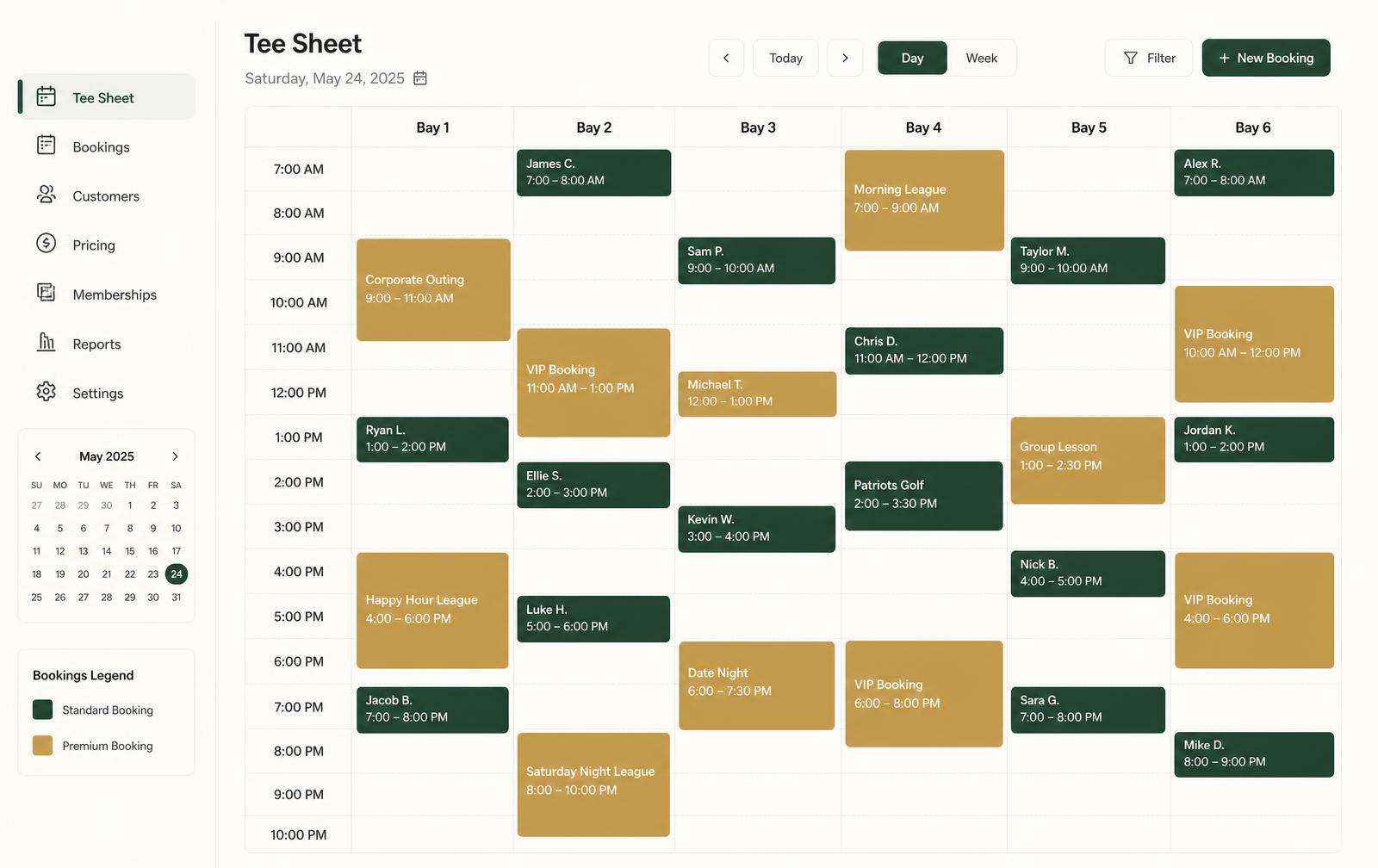
Visual tee sheet grid for an indoor golf studio with columns for Bay 1 through Bay 6 and colour-coded booking blocks across morning to evening time slots.

What it does

Scheduling built around bays, not generic appointments

Simulator studios sell bay-hours. The scheduling model reflects that from the ground up.

Visual tee sheet across every bay

One grid shows what's booked, what's open and where a 60-minute walk-in fits without cross-checking a spreadsheet or a second calendar.

  • Bay-by-bay columns with the full trading day
  • Booked, open and blocked time visible at a glance
  • Walk-ins and studio blocks handled in place

Online scheduling that respects real availability

Members book from the portal against live bay availability and your configured session lengths, so you stop losing bookings to phone tag after hours.

  • Live availability, not a request form
  • Session lengths and hours configured per studio
  • Members manage their own upcoming sessions

Reminders and waitlists that protect utilisation

Automated confirmations and reminders cut no-shows, and waitlists give you a queue for the evenings where demand exceeds bays.

  • Automated confirmation and reminder sends
  • Waitlist for sold-out peak slots
  • Follow-up after a missed session

Recurring bookings and utilisation insight

Standing weekly slots, lessons and league nights repeat without re-entry, and utilisation reporting shows which hours and bays are genuinely earning.

  • Recurring lesson and league scheduling
  • Utilisation by bay and by hour of day
  • Evidence for pricing and opening-hour changes

Every booking detail stays attached to the booking

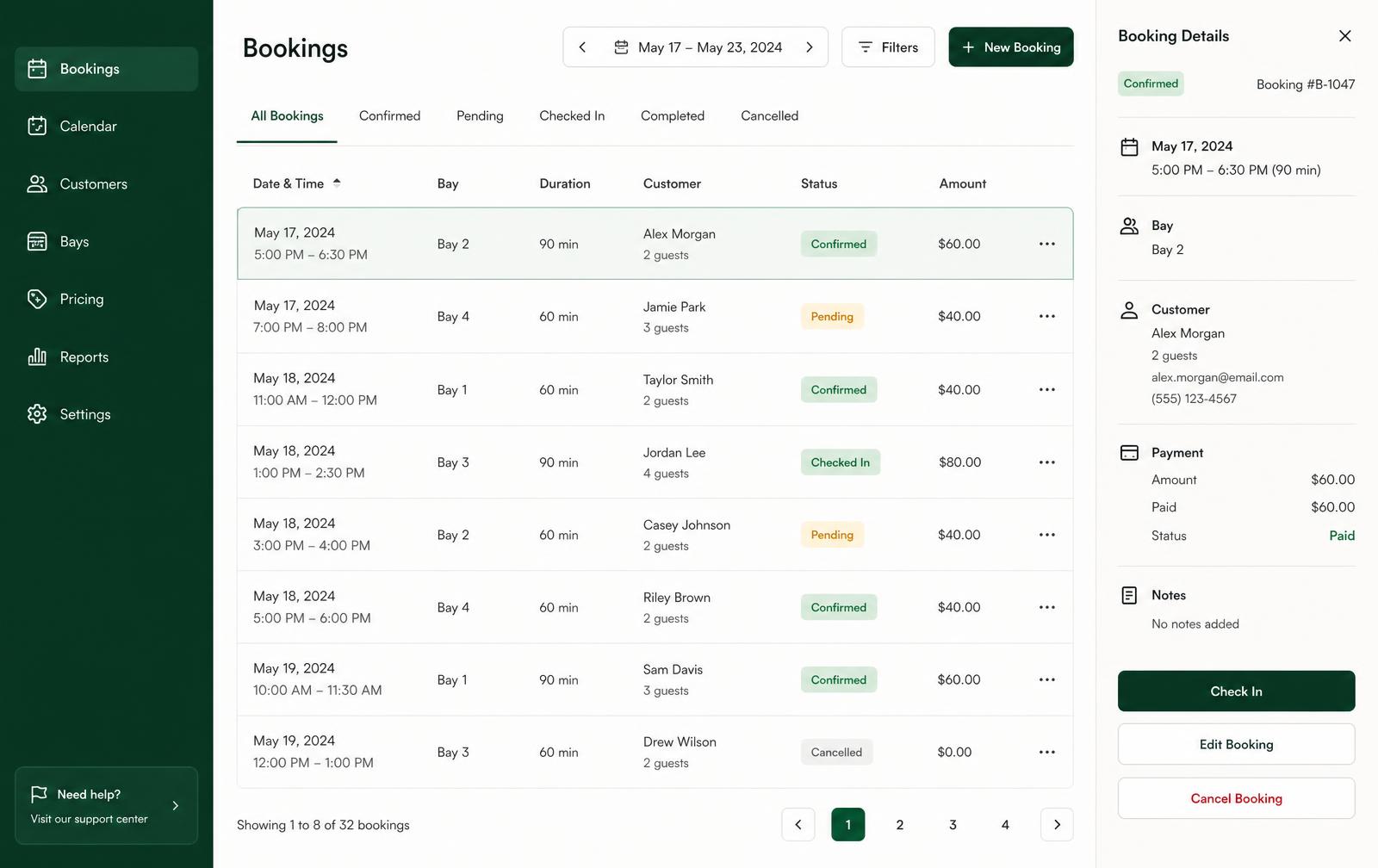
Confirm, reschedule, check in and cancel from one list. Status, duration, party size, payment state and staff notes live on the record instead of in someone's memory — which is what makes a shift handover survive a busy Saturday.

Booking management
Booking management screen listing simulator bookings with date, bay, duration, guest count and status pills beside a booking detail panel.

To be clear about how this starts: Perfect Swing Studio can run alongside your existing booking and payment systems, and we do not claim a confirmed integration with any specific tool until it has been reviewed for your studio during onboarding.

Straight answers

Frequently asked questions

What we can confirm today, and what we review together during onboarding.

What makes a golf simulator tee sheet different from a normal calendar?

A tee sheet shows every bay as a column and every time slot as a row, so your front desk reads the whole floor at once. A generic calendar hides the one thing that matters most in a simulator studio: which bay is free, for how long, and where a walk-in fits.

Can members book online themselves?

Yes. The member portal shows real availability, lets members book a bay and manage upcoming sessions, while staff keep full control from the tee sheet.

How does it reduce no-shows?

Confirmations and reminders send automatically from booking templates, and follow-ups can go to members who miss a session. That removes the manual reminder work a busy front desk skips first.

Do you support recurring bookings and waitlists?

Recurring bookings for lessons, leagues and standing weekly slots are part of the scheduling model, and waitlisting is designed for peak evenings when bays sell out. Exact behaviour is configured to your session lengths and pricing during setup.

Can I keep my current booking tool for now?

Yes. Many studios start with member engagement and reporting while their existing booking and payment tools keep running, then move scheduling onto the tee sheet later. There is no forced cut-over.
Private demo

See Perfect Swing Studio in Action

Tell us about your studio and we'll walk through your real operating model — bay count, memberships, and the systems you already run.

Software, spreadsheets, or nothing yet.